SuperSigner.com
Professional signatures for macOS

The Easiest Digital PDF Signing for macOS

Sign documents for authorities and institutions legally. Full support for PostSignum and I.CA certificates. No monthly fees.

Native Mac app: fast, secure, and offline. Perfect for freelancers, lawyers, and business owners.

1,490 CZK

Lifetime license • No subscription

Trial version: free — up to 3 signed documents without entering a license.

Requires your own qualified certificate (PostSignum, I.CA)

Download Trial
Lifetime license • No subscription
macOS
PostSignum
I.CA
PAdES
SuperSigner

Why pay for Adobe Acrobat subscription?

The Old Way

Large solutions are expensive, government tools often fail on Mac, and cloud services send documents outside your computer.

  • Adobe Acrobat Pro – approx. 6,000 CZK / year
  • Online converters send data to the cloud
  • Frequent compatibility issues on macOS

SuperSigner

Native macOS application. Buy once, use forever. Support for qualified Czech certificates and offline processing.

  • One-time payment 1,490 CZK — lifetime license
  • Support for PostSignum, I.CA and others (.p12, .pfx)
  • Offline processing — sensitive data stays on your computer

Application Screenshots

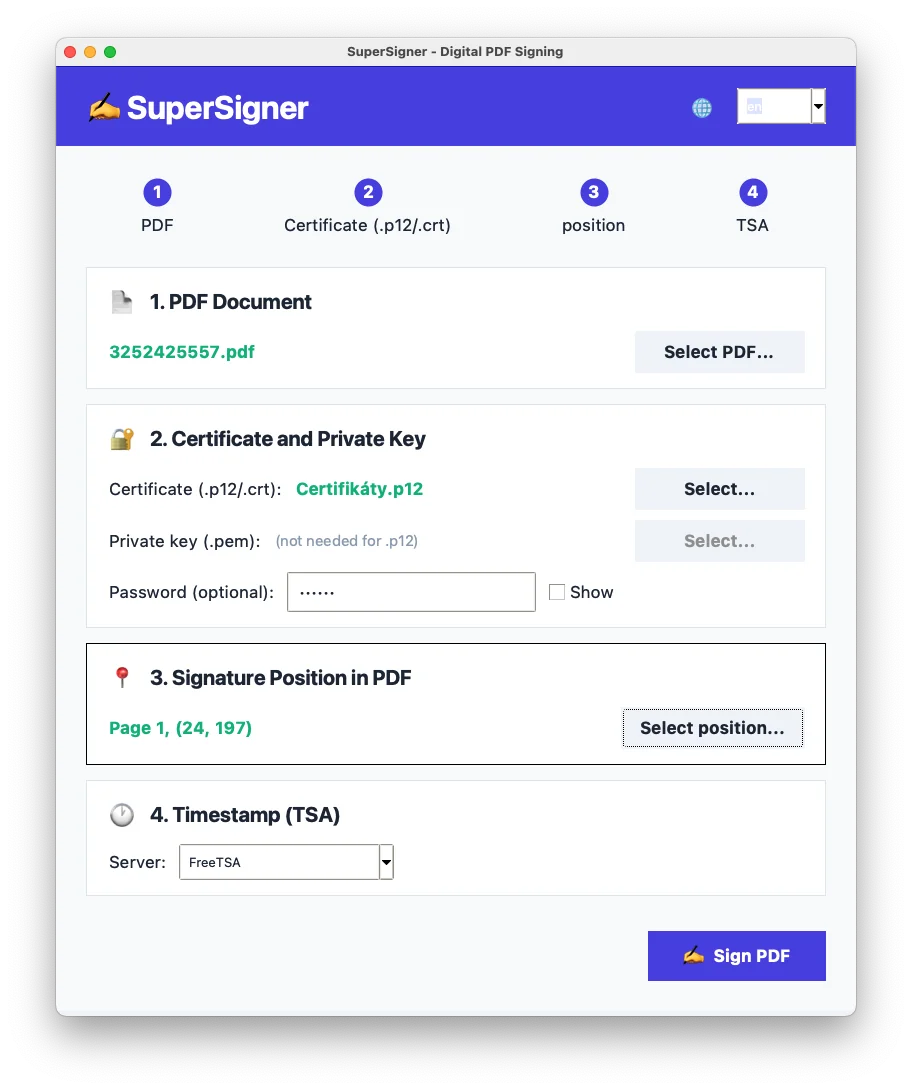
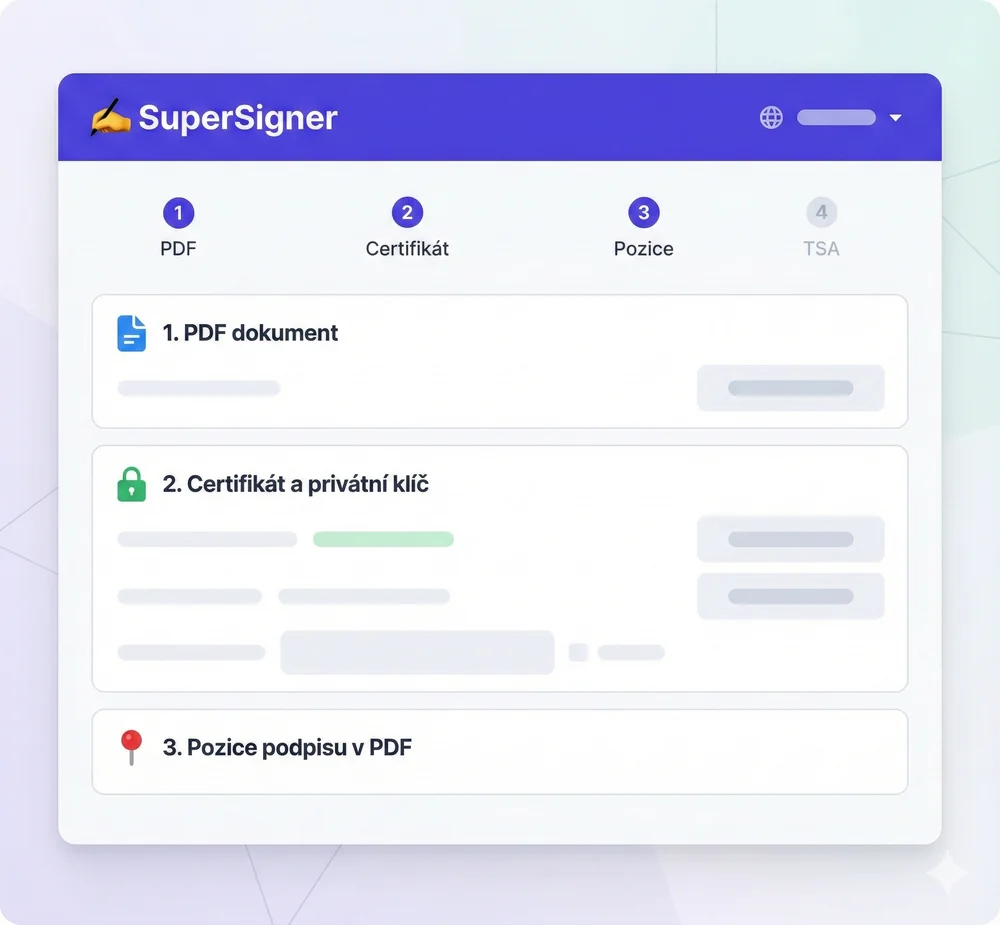
SuperSigner - Main application screen
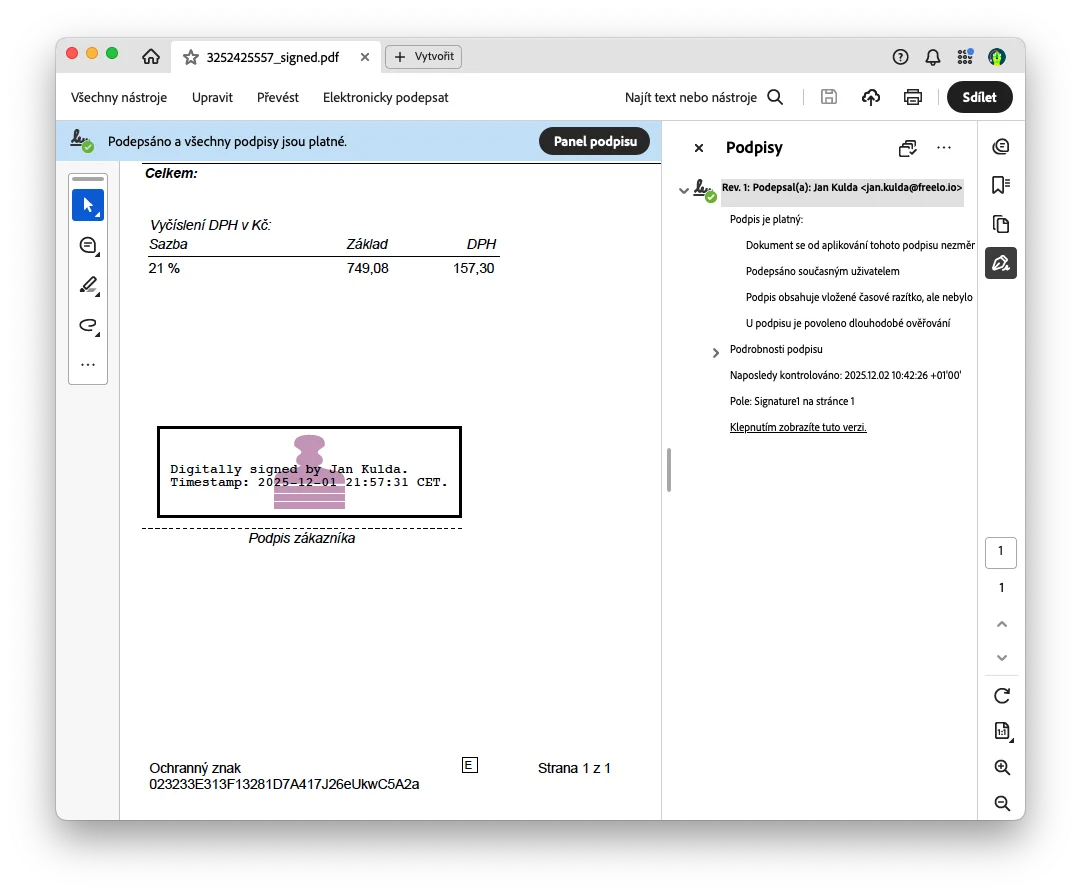
Signature verification in Adobe Acrobat
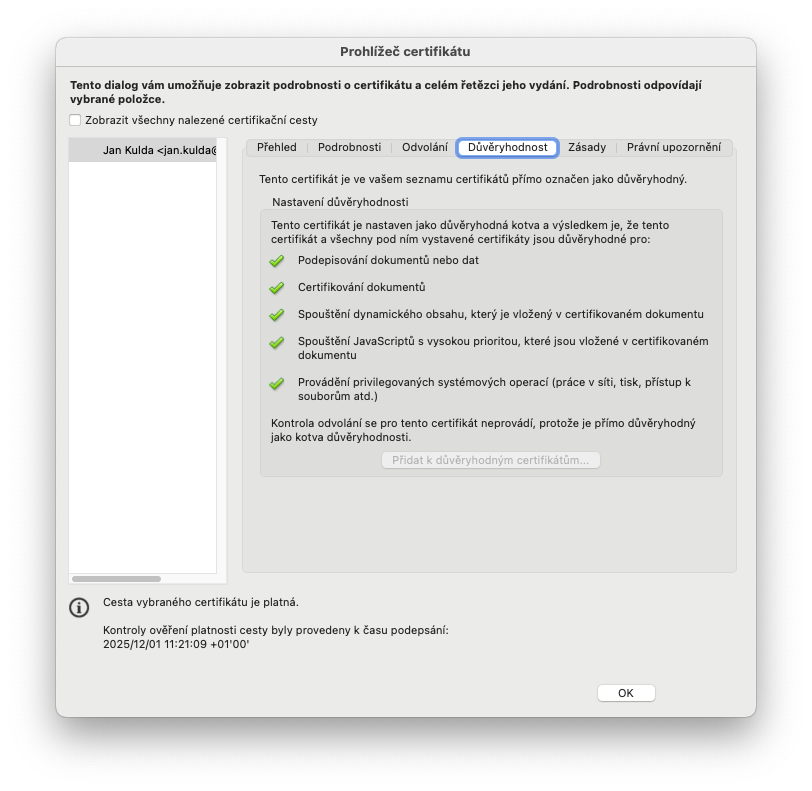
Classic screenshot – SuperSigner
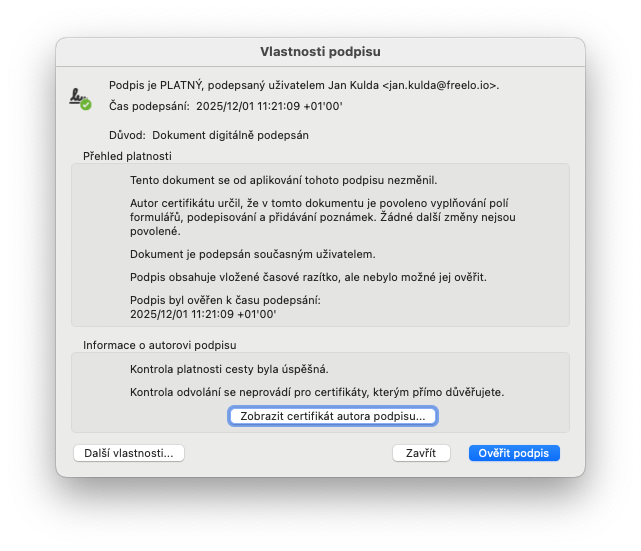
Screenshot 4 - Signature placement

Everything You Need for a Recognized Electronic Signature

Official Signatures (PAdES)

Creates PAdES-T signatures according to standards required by authorities, courts, and ministries. Your signature will be valid.

Native for macOS

No Java, no emulation. The app is designed for Mac and supports Mojave through the latest macOS versions.

Maximum Security (Offline)

Your documents and certificates never leave. Everything runs locally on your Mac — safer than online services.

Timestamp (TSA)

Automatically adds a trusted timestamp. The document remains valid even after the certificate expires.

Visual Placement

Click in the PDF preview where you want to place the signature. The app inserts a visual representation with your name and date.

Support for .p12 / .pfx certificates

Export your qualified certificate (PostSignum, I.CA, FirstCert) to .p12 or .pfx and upload it to the app.

SuperSigner vs Adobe Acrobat Pro

Detailed comparison of PDF digital signing software for macOS. Find out why SuperSigner is the better choice for Czech users.

Feature
SuperSigner Czech alternative
Adobe Acrobat Pro Global standard
Price
1,490 CZK
one-time
~6,000 CZK/year
subscription
5-year cost
1,490 CZK
~30.000 Kč
= 20× more expensive
Native macOS app Yes
Native Swift app
Partially
Electron app
PostSignum Support Native
Plug & play
Complicated
Manual configuration
I.CA Support Native
Plug & play
Complicated
Manual configuration
Offline Processing 100%
All local
Partially
Requires Document Cloud
PAdES-T Signatures Yes Yes
TSA Timestamp Automatic Yes
Visual Signature Placement Yes
Click in PDF
Yes
Drag & drop
Setup Complexity Easy
5 minutes
Medium
30+ minutes
Czech Localization Yes Yes
Free Trial 3 documents
No registration
7 days
Requires registration

Winner for Czech Users on macOS

SuperSigner wins on price (20× cheaper), PostSignum/I.CA certificate support, and offline processing. Ideal for freelancers, lawyers, and business owners in CZ.

Signed in 10 Seconds

1

Upload Certificate

Select your .p12/.pfx file and enter password (only once).

2

Open PDF

Drag the document or use File → Open.

3

Click and Save

Click on the signature location — the app creates a new file with _signed.pdf suffix.

Simple and Fair Pricing

No subscription. Pay once, use forever.

Trial Version
Free
3 free signatures
  • All full version features
  • 3 document signatures
  • No registration
  • Timestamp (TSA)
Download Trial
RECOMMENDED
Full License
1,490 CZK
One-time payment
  • Unlimited signatures
  • Permanent license
  • All future updates
  • Email support
Buy Now

Download SuperSigner

Start signing in minutes

SuperSigner for macOS

Version 1.0 • macOS 11.0+

Supports Apple Silicon (M1/M2/M3) and Intel processors

Download Free (53 MB)

Trial version • 3 free signatures • No registration

Important: You need your own qualified certificate

SuperSigner does not provide certificates. You must obtain a qualified certificate from a certification authority (e.g. PostSignum, I.CA) before using the app.

How to get a certificate →

How to Install

1

Download DMG file

Click the button above to download the installation package

2

Open downloaded file

Double-click SuperSigner-macOS.dmg in Downloads

3

Drag to Applications folder

Drag the SuperSigner icon to the Applications folder

4

First launch

Right-click → Open (only first time for macOS security)

Tip: For signing you need a qualified certificate. How to get a PostSignum certificate →

What the Trial Version Includes

The trial version is free and allows you to sign up to 3 documents without entering a license. After exhausting this limit, a full license activation (1,490 CZK) will be required for additional signatures.

System Requirements

Minimum

  • macOS 11.0 (Big Sur) or newer
  • 2 GB RAM
  • 100 MB free space

Recommended

  • macOS 13.0 (Ventura) or newer
  • Apple Silicon (M1/M2/M3)
  • 4 GB RAM

Certificate Guides

PostSignum Certificates on macOS

1. Getting a Certificate

We recommend using the iSignum app from App Store (macOS 11+) for easy certificate management, or the native Keychain Access app.

Complete guide on PostSignum.cz

2. Export Certificate to .p12

For use in SuperSigner you need the certificate in .p12 format:

  1. Open Keychain Access app
  2. In "My Certificates" section find your certificate
  3. Right-click → Export
  4. Choose .p12 format and set password
  5. Use this .p12 file in SuperSigner

3. Import Certificate from Backup

If you have a .p12 backup file:

  1. In Keychain: File → Import Items
  2. Select .p12 file and enter password
  3. Certificate will appear in "My Certificates" section

Frequently Asked Questions

Can I sign without my own certificate?
No. SuperSigner requires a qualified certificate that you must obtain yourself from a certification authority (PostSignum, I.CA). The app does not provide certificates — it only enables signing with your existing certificate.
How do I get a signing certificate?
In Czech Republic, you can get a qualified certificate from: PostSignum (440 CZK/year, 1,100 CZK/3 years), I.CA, or eIdentita. Export the certificate to .p12 format for use in SuperSigner. How to get a certificate →
How to sign a Word document with digital signature?
For official communication use PDF. Save the Word document as PDF (File → Export to PDF or Save as PDF), then sign it in SuperSigner. This preserves formatting.
Does the app work with PostSignum certificate (Czech Post)?
Yes. SuperSigner fully supports PostSignum, I.CA and other qualified certificates (PFX/P12). Just export your certificate to .p12/.pfx and upload it to the app.
Is internet connection required?
Signing works offline. Internet is only needed to obtain a timestamp (TSA) during signing — this increases document trustworthiness.
Is the app secure?
Yes. Your files and certificates stay on your Mac — we don't send them to third-party servers. All signing happens locally.
Can I sign documents offline?
Basic signing can be done offline. Internet connection is needed to add a timestamp (TSA). Timestamp is recommended for legal validity of the signature.
Is the signature compatible with Adobe Acrobat?
Yes! SuperSigner creates signatures in PAdES-T format, which is fully compatible with Adobe Acrobat and all modern PDF readers.
Does it work on Apple Silicon (M1/M2/M3)?
Yes, SuperSigner is natively optimized for Apple Silicon (M1, M2, M3) and also works on Intel processors.
How do I activate the license?
After purchase you will receive a license key by email. Simply enter it in the app on first launch or in menu SuperSigner → Activate License.
Do you provide invoices?
Of course! You will automatically receive an invoice by email after purchasing a license.
Is this really a one-time payment?
Yes! You only pay 1,490 CZK once and get a permanent license. No monthly fees, no hidden costs.
Can I use it on multiple computers?
The license is for one user and you can use it on all your macOS devices.
Are updates free?
Yes, all future updates and new features are included in the license price.

How Can We Help You?

We're here for you every business day

Email Support

We respond within 24 hours on business days

support@supersigner.com

Frequently Asked Questions

Most common answers available immediately

Start Signing Professionally Today

One-time investment of 1,490 CZK. Lifetime license. It's not free — but it's cheap.

Buy Now (1,490 CZK) Download Trial
Secure payments via Stripe / GoPay

Note: Trial version is limited to 3 signed documents. After exhausting the limit, you will be prompted to purchase a license.